Spark & Scratch

Spark & Scratch

$509.99
Coding
was $599.99 Save $90
7/6/2026 - 7/10/2026 | Ages 6-8
Session Time
Camper's Name
Enter your text
Camper's Age
Enter your text
Save this product for later
Have questions?
Spark & Scratch

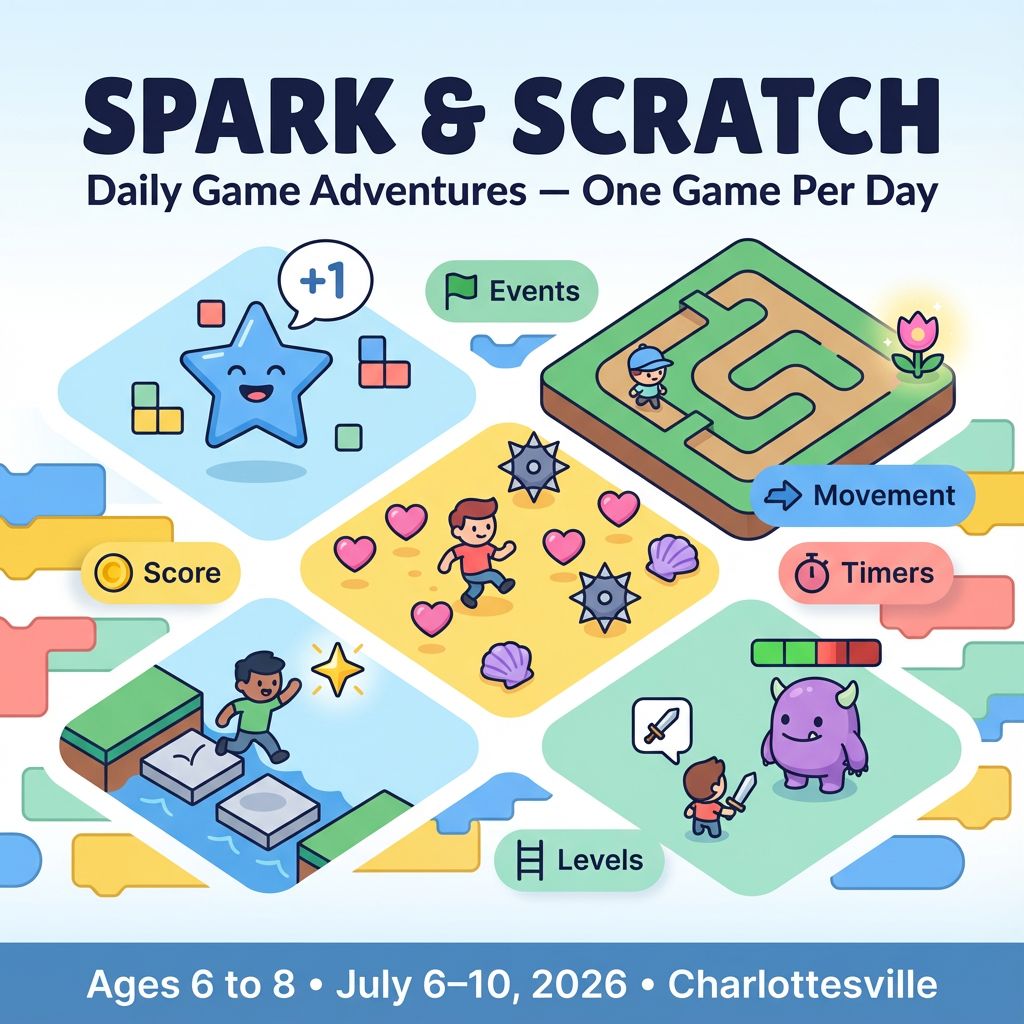
Spark & Scratch: Daily Game Adventures — One Game Per Day

Parents: A beginner-friendly, creative coding camp designed to welcome kids into computer science. Each day, campers build a brand-new Scratch game that grows in complexity through gentle steps—starting with simple events and sprites and building up to variables, timers, and multi-level play. Daily reflection builds confidence and voice.

Kids: Make a new game every day! Choose your characters, design your world, and code your own rules. Share with friends and cheer each other on.

Project Model

Each day is a complete mini-project with a playable Scratch game by the end of the day. Skills stack across the week: Day 1 events → Day 2 movement and collisions → Day 3 scoring and levels → Day 4 power-ups and timers → Day 5 boss/mini-quest. Campers personalize art, sounds, and stories.

Daily Structure

  • 4 one-hour sessions per day (S1–S4)
  • Pair-optional: campers may buddy up for brainstorming, but every camper publishes their own project
  • Differentiation: “Try This First” + “Level Up” tasks each session
  • Tools: Scratch (scratch.mit.edu), headphones, drawing tablet optional

Day 1: Your First Clicker — Events, Sprites, and Sounds

Game: Sparkle Clicker — click the star to earn points and trigger fun effects.

Concepts: Events (when green flag clicked, when this sprite clicked), looks, basic sound, coordinates for positioning.

  1. S1 Choose Your Style — Pick a theme (space, ocean, fashion). Add 1–2 sprites and a simple background.
  2. S2 Make It Interactive — On click: play sound, change color, show a “+1” effect.
  3. S3 Basic Score — Use a variable “Score” and increase by 1 on click. Show score on screen.
  4. S4 Share & Celebrate — Pair-playtest for 3 minutes and share one favorite effect.

Level Up:

  • Randomly move the star to a new spot after each click.
  • Add a 5-second sparkle animation using “repeat” and “change color effect.”
  • Custom art: draw your own star or icon in the paint editor.

Day 2: Maze Runner — Movement and Collisions

Game: Garden Maze — guide your character to the flower without touching the walls.

Concepts: Arrow-key movement, if touching color, edge bouncing, simple win condition.

  1. S1 Build the Maze — Draw a maze background with high-contrast walls.
  2. S2 Smooth Movement — Arrow keys move x/y by small steps; face left/right with costumes.
  3. S3 Collision Rules — If touching wall color, go back to start; if touching goal, say “You Win!”.
  4. S4 Playtest & Tuning — Adjust speeds and wall thickness for fair challenge.

Level Up:

  • Add a checkpoint flower halfway through.
  • Timer variable: track how fast players finish.
  • Decorative animations (butterflies, bubbles) that play on win.

Day 3: Collect & Dodge — Scoring, Lives, and Levels

Game: Treasure Tide — collect shells for points while avoiding crabs.

Concepts: Clones for spawning, scoring variable, lives/hearts, level progression after score threshold.

  1. S1 Spawners — Shells clone at random positions; when collected, change score and delete clone.
  2. S2 Hazards — Crabs move across screen; touching a crab reduces lives and resets player position.
  3. S3 Level Up — When score ≥ 10, speed up shells/crabs and change background.
  4. S4 UX Polish — Show hearts for lives; “Game Over” screen when lives reach 0.

Level Up:

  • Combo bonus: +2 points if two shells are collected within 2 seconds.
  • Safe zone: a temporary bubble that blocks crabs for 3 seconds.
  • High score variable that saves during the session.

Day 4: Power-Up Platformer — Physics Feel and Timers

Game: Sky Steps — jump across platforms, grab power-ups, reach the portal before time runs out.

Concepts: Gravity using change y by, ground detection via color or platforms sprite, timers, power-up states with variables.

  1. S1 Jump & Land — Implement gravity loop; jump on space; stop fall when touching ground color.
  2. S2 Platforms & Camera — Place platforms; optional scrolling by moving platforms vs. player.
  3. S3 Power-Ups — Add speed boots or double jump with a timed variable (e.g., powerUpTimer).
  4. S4 Time Pressure — Countdown timer; win at portal before time hits 0.

Level Up:

  • Double-jump logic with a jumpsLeft variable.
  • Checkpoint flags and respawn after falls.
  • Particle-style effects using costumes when power-up is active.

Day 5: Mini-Boss Quest — States, Dialog, and Strategy

Game: Star Guardian — collect keys, unlock the gate, and defeat a friendly mini-boss with patterns.

Concepts: Game states (menu, play, boss), broadcast messages, health bars, simple enemy attack patterns, dialog sequences.

  1. S1 World Setup — Title screen → Play; keys placed around the map; gate opens after all collected.
  2. S2 Boss Patterns — Boss cycles: move → pause → launch projectiles. Player dodges and counter-attacks.
  3. S3 Health Bars — Variables and visual bars for player/boss; invincibility frames after hit.
  4. S4 Ending & Showcase — Win screen with credits; short presentation: “My favorite mechanic and how I coded it.”

Level Up:

  • Difficulty toggle that adjusts boss speed/projectile count.
  • Cutscene intro using broadcasts and timed looks/say blocks.
  • Accessibility: add color-blind friendly palettes and larger UI text.

Why Families Love This

  • For Parents: Daily wins build momentum—five finished games that progressively introduce core CS ideas with encouragement and peer support.
  • For Campers: Bring your stories and style to life—art, music, animation, and code all in your hands.

Inclusion & Confidence Builders

  • Role models: quick spotlights on people in games/tech each morning.
  • Choice-based art: every mechanic has multiple aesthetic options.
  • Brave space norms: kind feedback, celebrate bugs as learning.
  • Micro-demos: 60–90 second sharings to boost voice and agency.

Camp Essentials

  • Ages: 6 to 8 years old.
  • Dates: Monday, 7/6/2026 to Friday, 7/10/2026
  • Times:
    • Full-Day,8:30 AM–5:00 PM
    • AM, 8:30 AM - 1:00 PM
    • PM, 12:30 PM - 5:00 PM
  • Location: 2171 Ivy Rd, Charlottesville, VA 22903
  • What to Bring: Water bottle, lunch, and one or two light snacks.
  • Video gaming: Not allowed
  • Tech Provided: Computers and robotics kits (for in‑camp use only; equipment stays with us).
  • Skill Level: Beginners welcome; no prior coding experience required
  • Dress Code: Comfortable clothes; indoor‑friendly shoes
  • Contact: camps@yblueridgeboost.com • (434) 260‑0636
  • Allergies/Medical: Share details during registration; bring any necessary meds
  • Behavior & Safety: Kindness first; follow staff directions; internet safety rules apply

Note: The camps listed as ages 6 to 12 will be divided by age into two groups.

Show More
Powered by Lightspeed
Display prices in:USD
Skip to main content
Blue Ridge Boost
Classes for Adults
Classes
Camps
Events
Tutoring
Gift Card
Menu
Enrichment and tutoring in Math and Computing for any student who wants to learn. Led by Ana Nora Evans in Charlottesville, Virginia.
Terms & ConditionsPrivacy PolicyPayment PolicyRefund PolicyAbout UsReport Abuse
Powered by Lightspeed