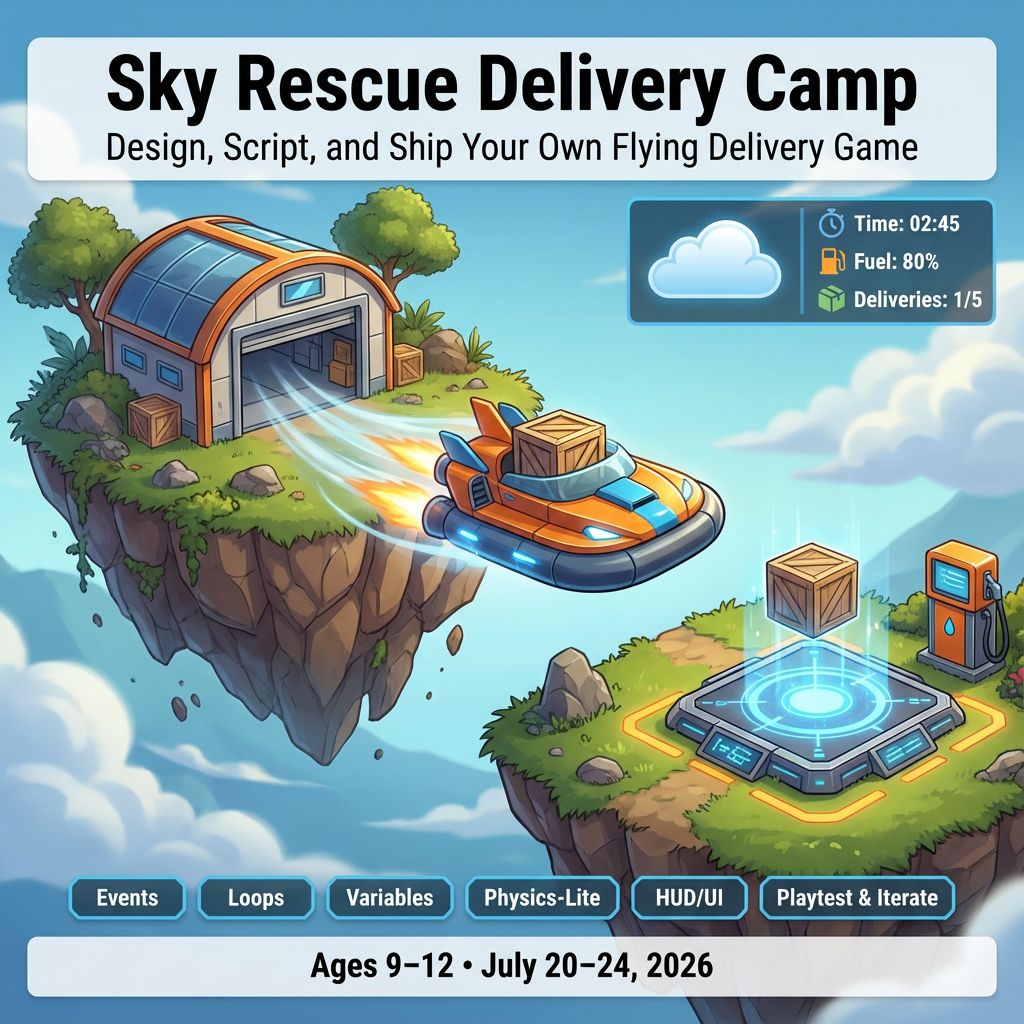
Sky Rescue Delivery Camp

Sky Rescue Delivery Camp

$509.99
Roblox Studio
was $599.99 Save $90
7/20/2026 - 7/24/2026 | Ages 6-12
Session Time
Gaming Option (Exploration Time)
Camper 1 Name
Enter your text
Camper 2 Name
Enter your text
Camper 3 Name
Enter your text
Save this product for later
Have questions?
Sky Rescue Delivery Camp

Parents: In one week, each child designs and scripts a gentle flight‑and‑delivery game in Roblox Studio. They’ll practice events, sequencing, loops, variables, simple physics, and UI while building a kid‑friendly experience. Daily goals include “Try This First” and “Level Up” tracks to support a range of skill levels.

Students: Make your own Sky Rescue Delivery! Pilot a friendly hovercraft, pick up packages, dodge breezy obstacles, fuel up, and deliver to floating islands. By Day 5, your game is ready to play and share!

Project Model

Every student builds a personal “Sky Rescue” map in their own Roblox place. Features stack into a complete game: hangar start, hovercraft controls, pickups, wind zones, fuel stations, delivery pads, scoreboard, and a win screen. Peers may share ideas, but each world and scripts are individual.

Daily Structure

  • 4 one‑hour sessions per day (S1–S4)
  • Individual projects with short peer playtests for feedback
  • Two paths each session: “Build It” and “Level Up” for returning coders

Day 1: Hangar Setup — Islands, Pads, and First Events

Outcomes: Lay out floating islands, create a hangar start zone, and script a simple interactable.

  1. S1 Studio Tour

    Activities: Explorer/Properties; Parts and Anchoring; Materials (ice/stone/cloud); color coding and naming.

  2. S2 Island Builder

    Activities: Build 2–3 small floating islands with ramps and fences; add a “Hangar” start pad.

  3. S3 First Event

    Activities: Clicking a console opens the hangar door (ClickDetector + TweenService slide); print to Output.

  4. S4 Mini‑Showcase

    Activities: 1‑minute demo of your hangar and islands; reflect: What was trickiest—building or scripting?

Level Up: Add blinking runway lights with a loop; a signal lamp that turns green when ready.

Day 2: Hovercraft Controls — Movement, Camera, and Safe Boundaries

Outcomes: Script kid‑friendly hovercraft controls, a simple chase camera, and safe edge resets.

  1. S1 Vehicle Spawn

    Activities: Create a Hovercraft model (Body + Seat); spawn at Hangar with a button press.

  2. S2 Gentle Controls

    Activities: Script WASD movement with max speed; small “hover” bob; friction for smooth stops.

  3. S3 Camera + Boundaries

    Activities: Top‑down or chase camera; invisible walls or cloud rails; reset to Hangar if player falls.

  4. S4 Test + Tune

    Activities: Adjust speed, turn rate, and camera distance for easy control.

Level Up: Add a gentle boost key with cooldown; screen shake on bumps; sparkly engine trail.

Day 3: Packages and Wind — Variables, If/Else, and Zones

Outcomes: Create package pickups, delivery pads, wind zones, and a basic fuel system.

  1. S1 Package Pickups

    Activities: Touch a package to attach it to the hovercraft; +1 “carried” variable; play a chime.

  2. S2 Delivery Pads

    Activities: Land on a glowing pad to deliver; +1 score; remove package; show “Delivered!” popup.

  3. S3 Wind + Fuel

    Activities: Make a WindZone that nudges the craft; add a fuel number that slowly decreases and refuels at stations.

  4. S4 Organize + Playtest

    Activities: Folders (Islands, Vehicle, Pickups, Zones, UI, Scripts); neighbor test for clarity.

Level Up: Randomly pick which island needs a delivery each run; weighted wind gusts; fuel efficiency upgrade pad.

Day 4: Game Systems — Timer, HUD, Routes, and Balance

Outcomes: Add a run timer, HUD for score/fuel/packages, route markers, and adjust difficulty gently.

  1. S1 Timer + HUD

    Activities: GUI shows time, fuel, and delivered count; start on “Go!” and stop at goal.

  2. S2 Route Markers

    Activities: Floating arrows guiding the current delivery; change color when near the pad.

  3. S3 Balance Pass

    Activities: Tune wind strength, pad spacing, and fuel drain for fairness; brighten lighting and add signs.

  4. S4 Iterate

    Activities: Two timed runs; fix sticky corners; rename/clean scripts and variables.

Level Up: Best‑time tracker for the session; boost recharge indicator; easy/normal toggle for wind and fuel rates.

Day 5: Final Flights — Win Flow and Showcase

Outcomes: Complete a 3‑delivery run, add a win screen, and present your game.

  1. S1 Goal and Finish

    Activities: Set goal (e.g., 3 deliveries); on finish, confetti and “Mission Complete!” GUI.

  2. S2 Polish

    Activities: Add landing lights, soft engine sounds, and a “Reset Flight” button; color pass for clarity.

  3. S3 Practice

    Activities: Full test from fresh Play; check timers, arrows, fuel, and pad triggers.

  4. S4 Showcase!

    Activities: 1–2 minute demo: pick up, fly, and deliver to two islands; show one script and share a tip. Badges: Smooth Pilot, Wind Wrangler, Debug Star.

Level Up: Random daily route order; “photo mode” at the finish pad; gentle storm event with flashing clouds.

Why Families Love This

  • For Parents: Clear progress, safe tools, and a tangible Roblox game in 5 days.
  • For Kids: It’s your sky—build it, fly it, and deliver like a pro!

Camp Essentials

  • Ages: 6 to 12 years old.
  • Dates: Monday, 7/20/2026 to Friday, 7/24/2026
  • Times:
    • Full-Day,8:30 AM–5:00 PM
    • AM, 8:30 AM - 1:00 PM
    • PM, 12:30 PM - 5:00 PM
  • Location: 2171 Ivy Rd, Charlottesville, VA 22903
  • What to Bring: Water bottle, lunch, and one or two light snacks.
  • Video gaming: Allowed with parent permission during Exploration Time
  • Tech Provided: Computers and robotics kits (for in‑camp use only; equipment stays with us).
  • Skill Level: Beginners welcome; no prior coding experience required
  • Dress Code: Comfortable clothes; indoor‑friendly shoes
  • Contact: camps@yblueridgeboost.com • (434) 260‑0636
  • Allergies/Medical: Share details during registration; bring any necessary meds
  • Behavior & Safety: Kindness first; follow staff directions; internet safety rules apply

Note: The camps listed as ages 6 to 12 will be divided by age into two groups.

Show More
Powered by Lightspeed
Display prices in:USD
Skip to main content
Blue Ridge Boost
Classes for Adults
Classes
Camps
Events
Tutoring
Gift Card
Menu
Enrichment and tutoring in Math and Computing for any student who wants to learn. Led by Ana Nora Evans in Charlottesville, Virginia.
Terms & ConditionsPrivacy PolicyPayment PolicyRefund PolicyAbout UsReport abuse
Powered by Lightspeed