Roblox Studio Obby Lab
$539.99
Early Bird Price
was $599.99 Save $60
Session Time
Gaming Option (Exploration Time)
Camper's Name
Enter your text
Camper's Age
Enter your text
6/22/2026 - 6/26/2026 | Ages 6-12 | Roblox Studio
Save this product for later
Have questions?
Roblox Studio Obby Lab
Camper's Age: Ages 6-12
Camp Topic: Game Development with Roblox Studio
Camp Week: Week 4 (June 22-26)
Gaming: With parent permission during Exploration Time
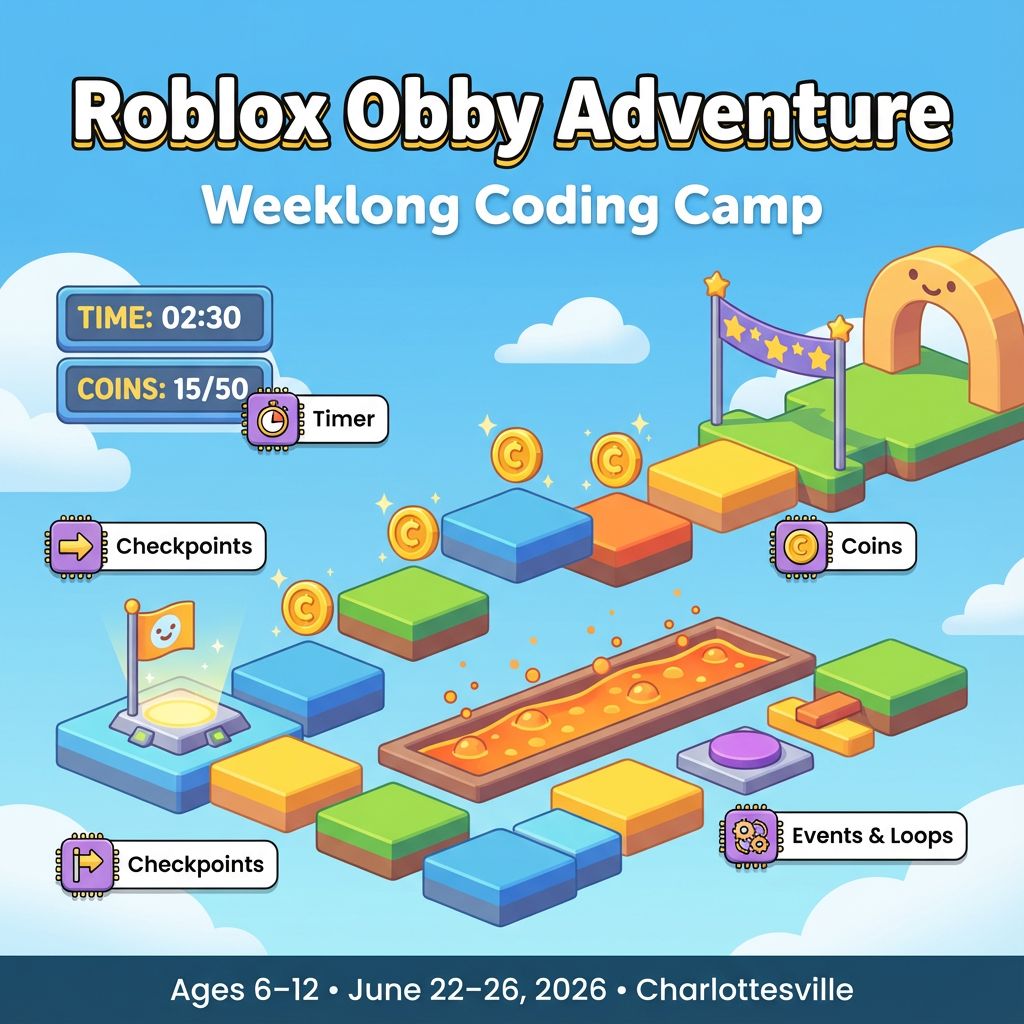
Roblox Obby Adventure — Weeklong Coding Camp
Parents
In five days, your child will design and code a complete, kid‑friendly Roblox obby (obstacle course). Guided, step‑by‑step lessons build core coding skills in Roblox Studio: sequencing, loops, events, simple variables, and basic debugging. Each session includes “Try This First” for beginners and “Level Up” challenges for returning coders, so each student is confident and appropriately challenged.
Kids
Build your own Obby Adventure! Add platforms, checkpoints, timers, coins, and silly surprises. By Friday, your game is ready to play and share with your family.
Project Model
- Each student creates a personal “Obby Adventure” in their own Roblox place.
- Daily features stack into a full game: start pad, checkpoints, gentle hazards, timer, coins, and a finish moment.
- Helpers can share ideas, but every map layout and script is individual.
Daily Structure
- Four 1‑hour sessions per day (S1–S4)
- Individual projects with quick 5‑minute neighbor check‑ins for ideas
- Differentiation every session: “Try This First” + “Level Up” tasks
- Teacher‑curated Toolbox models for safety and consistency
Day 1 — Meet Roblox Studio: Build, Anchor, First Events
Outcomes: Navigate Explorer/Properties, place and resize Parts, anchor, safe Play Test, create simple Touch/Clicked events.
- S1 Studio Tour — Camera/move tools; baseplate + Part; Anchor, Material, Color. Vocabulary: Part, Model, Anchor, Event.
- S2 Starter Platforms — Build 6 small platforms with Scale; align a clear path; name folders (Obstacles, Checkpoints).
- S3 First Script — Insert a Script; on Touch, change Part color; print “Hello, Obby!” to Output; add a simple debounce.
- S4 Mini‑Showcase — 1‑minute demo of your first section; reflect on what helped most (moving, scaling, scripting).
- Level Up: ClickDetector to toggle transparency; TweenService to slide a platform; duplicate and mirror your first section.
Day 2 — Checkpoints and Respawn: Variables, If/Else
Outcomes: Create checkpoints, store last checkpoint, gently respawn after hazards.
- S1 Checkpoint Parts — Add a labeled Checkpoint; Anchor; SurfaceLight glow; organize in “Checkpoints.”
- S2 Save Progress — On Touch, save checkpoint CFrame to a variable; print “Checkpoint reached!”
- S3 Friendly Hazards — Red “lava” parts; on Touch, teleport to last checkpoint (or Start if none); brief “Try again!” message.
- S4 Test + Tune — Solo run; adjust gaps; fix misalignments; 30‑second demo.
- Level Up: GUI label “Checkpoint: 1/2/3”; sparkle on touch; store two recent checkpoints and use the latest; safe‑teleport guard to avoid walls.
Day 3 — Motion and Patterns: Loops, Tweening, Random
Outcomes: Create moving platforms, stamp patterns, add a gentle countdown timer.
- S1 Movers — Script a platform that slides back and forth with TweenService; adjust speed and wait time.
- S2 Pattern Builder — Script spawns N platforms in a line using a “gap” variable; stamp two rows.
- S3 Surprise Blocks — Randomly enable one shortcut per run; announce it with a GUI label; add a sparkle hint.
- S4 Clean Up + Playtest — Organize folders (Obstacles, Checkpoints, UI, Scripts); neighbor test and feedback.
- Level Up: Difficulty number scales mover speed and gaps; seed input in a TextBox for repeatable layouts; “No‑fall practice mode” that disables hazards.
Day 4 — Game Systems: Start/Finish, Timer, Coins, UI
Outcomes: Add a Start pad, Finish flag, run timer, coins with scoring, and on‑screen UI.
- S1 Start + Finish — Teleport players to Start on Play; add a visible Finish; sparkles and a confetti ParticleEmitter.
- S2 Timer HUD — GUI TextLabel shows time from “Go!” to Finish; pause on respawn; reset on new run.
- S3 Coins and Score — Place 5 coins; on Touch, +1 score, play a sound, tween‑scale the coin, then hide; show score in HUD.
- S4 Balance + Iterate — Two timed runs; tune mover speed/gaps; add clear signs/arrows; adjust lighting for readability.
- Level Up: Best‑time tracker for the current session; 3…2…1… GO! countdown; Easy/Normal toggle that adjusts variables; celebratory camera tween at Finish.
Day 5 — Polish and Share: Individual Showcase
Outcomes: Ship a unique obby with checkpoints, timer, coins, and UI—then present it.
- S1 Final Checklist — Start pad; 2+ checkpoints; timer; 5+ coins; clear finish; game title in a BillboardGui.
- S2 Build + Script — Add a “Reset Run” button; tidy variable names and comments; remove unused parts.
- S3 Practice + Polish — Sound cues at checkpoint/finish; color pass for contrast; test from a fresh Play.
- S4 Showcase! — 1–2 minute demo: complete a run, show one script, share one design tip. Celebrate with badges (Platform Pro, Timer Tamer, Bug Buster).
- Level Up: GUI Reset that clears timer/coins and teleports to Start; gentle background music; photo‑mode pose at Finish; lane‑race variant with two mirrored paths.
Why Families Love This
- For Parents: Clear progress, safe tooling, and a tangible, shareable Roblox game in 5 days.
- For Kids: It’s your obby—design it, script it, and show it off!
Optional Stretch Goals (any day)
- Two‑lane race mode: duplicate the course side‑by‑side and auto‑assign “Lane A/B”.
- Ghost run: save simple checkpoint split times and display them next run.
- Helper NPC: ProximityPrompt that gives a hint or starts the timer for practice.
Camp Essentials
- Ages: 6 to 12 years old.
- Dates: Monday, 6/22/2026 to Friday, 6/26/2026
- Times:
- Full‑Day, 8:30 AM–5:00 PM
- AM, 8:30 AM–1:00 PM
- PM, 12:30 PM–5:00 PM
- Location: 2171 Ivy Rd, Charlottesville, VA 22903
- What to Bring: Water bottle, lunch, and one or two light snacks.
- Video gaming: Allowed with parent permission during Exploration Time
- Tech Provided: Computers and robotics kits (for in‑camp use only; equipment stays with us).
- Skill Level: Beginners welcome; no prior coding experience required
- Dress Code: Comfortable clothes; indoor‑friendly shoes
- Contact: camps@blueridgeboost.com • (434) 260‑0636
- Allergies/Medical: Share details during registration; bring any necessary meds
- Behavior & Safety: Kindness first; follow staff directions; internet safety rules apply
- Age split: campers will be grouped by age, with groups of at most 16 students
Powered by Lightspeed
Display prices in:USD