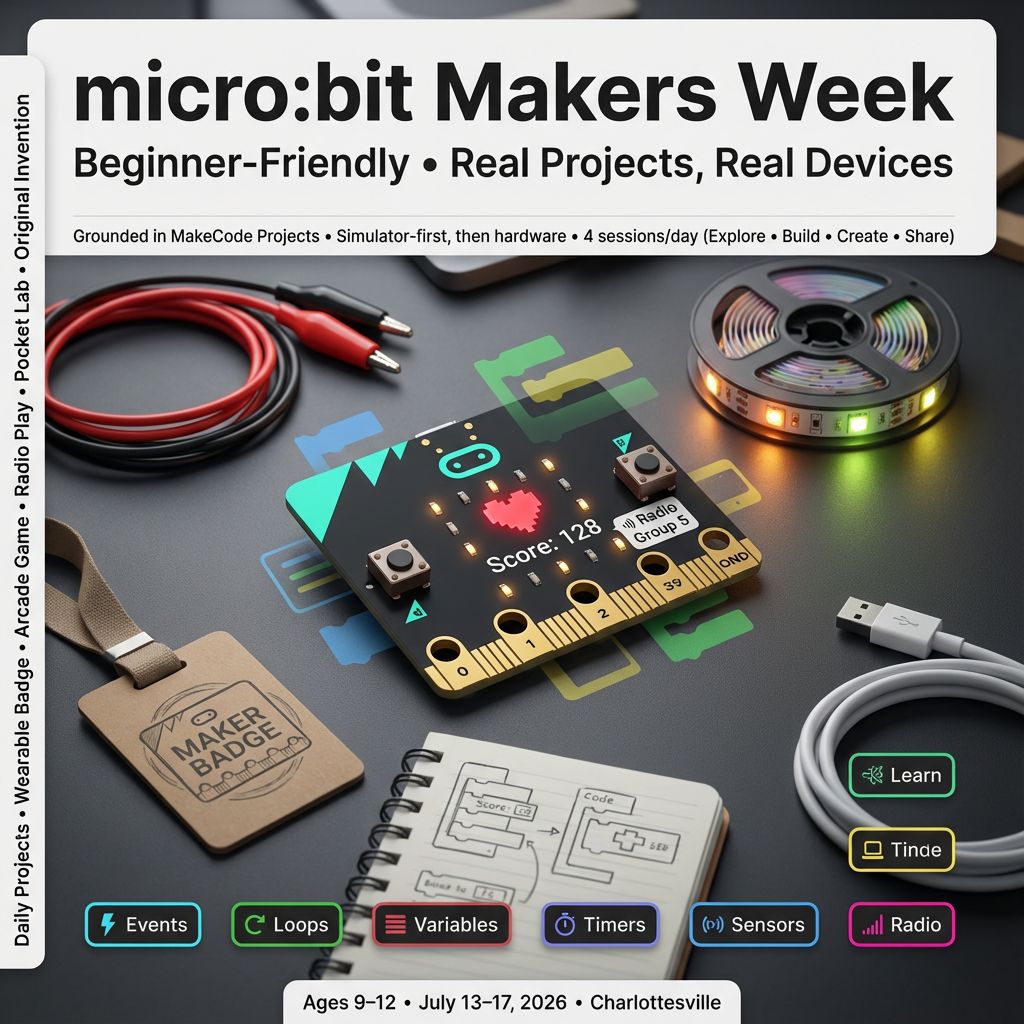
micro:bit Makers Week

micro:bit Makers Week

$509.99
micro:bit
was $599.99 Save $90
7/13/2026 - 7/17/2026 | Ages 9-12
Session Time
Camper's Name
Enter your text
Camper's Age
Enter your text
Save this product for later
Have questions?
micro:bit Makers Week

For Parents

  • Skill progression: Each day focuses on a fresh project—wearable badge, arcade game, radio team play, pocket science lab, and a final original invention.
  • Grounded in MakeCode Projects: Draws from Tutorials, Games, Radio Games, Tools, Science, and Data Logging at makecode.microbit.org/projects.
  • Beginner‑friendly structure: 4 sessions/day (Explore • Build • Create • Share) with clear steps and frequent wins.
  • STEM concepts made tangible: Events, loops, variables, timers, sensors, thresholds, and simple wireless messaging.
  • Visible progress: Daily mini‑demos and a final showcase—kids bring home code they can rerun and explain.
  • Safe & supported: Simulator first, then hardware; age‑appropriate pacing and gentle troubleshooting.

For Kids

  • Day 1: Build a glowing name badge that plays a jingle when you shake it.
  • Day 2: Make a reaction‑time arcade and try to beat your best score.
  • Day 3: Play “Red Light, Green Light” using radio messages with friends.
  • Day 4: Turn your micro:bit into a pocket lab—light alarm, step counter, or compass.
  • Day 5: Invent something new—like a Weather Badge or Treasure Tag—and show it off!
  • Bonus fun: Custom icons, emoji messages, sound effects, and secret settings with A+B.

Daily Plan (Different Project Each Day)

Day 1 — Light & Sound Badge (Tutorials: Flashing Heart, Name Tag, Dice)

Create a wearable “Light & Sound Badge” that shows your name, mood icons, and a victory jingle when you shake it.

  1. S1: Explore — Meet the micro:bit and MakeCode.
    • Tour LEDs, buttons A/B, shake gesture, speaker (V2), and simulator.
    • Build “Flashing Heart” to learn on start vs forever loops.
    • Add your name with “Name Tag” (scrolling text).
  2. S2: Build — Inputs and random.
    • Add button A to show a happy icon; button B to show a cool emoji.
    • On shake, play a short melody and show a random “lucky number” (Dice idea).
    • Discuss events, variables, and randomness.
  3. S3: Create — Personalize your badge.
    • Make brightness react to room light (Tools: Light Level Meter concept).
    • Design your own icon frame-by-frame; add a startup splash.
    • Optional: Add a “quiet mode” toggle with A+B.
  4. S4: Share — Mini demo and debugging.
    • Wear/hold your badge and present your features.
    • Peer test: try buttons, shake, and light-reactive effect.

Outcomes: Events (button/shake), loops, random, basic sound, LED patterns.

Day 2 — Reaction Time Arcade (Games: Reaction Time, Snap the Dot)

Build an arcade-style reaction trainer that measures your fastest reflexes and levels up difficulty as you improve.

  1. S1: Explore — Game loop basics.
    • Program a start signal (random delay), then measure time to press A.
    • Show score as milliseconds; explain variables and timers.
  2. S2: Build — Add scoring and best time.
    • Keep track of current and best scores; display with icons.
    • Add rounds (e.g., 5 tries) and show average.
  3. S3: Create — Difficulty and mini-game.
    • Speed-up mode: shorten random delay after good performance.
    • Optional mini-game: “Snap the Dot” with moving target on LEDs.
  4. S4: Share — Arcade showcase.
    • Compete for best reaction; practice fair resets and clean UI.
    • Reflect: how did we prevent “early press” cheating?

Outcomes: Timers, variables, conditionals, difficulty curves, user feedback.

Day 3 — Radio Team Game: Red Light, Green Light (Radio Games)

Create a wireless group game: one Leader micro:bit broadcasts “GO/STOP”, players move only on GO, and get flagged if they move on STOP.

  1. S1: Explore — Radio basics.
    • Set radio group; send/receive simple strings (“GO”, “STOP”).
    • Leader device UI: A = GO, B = STOP; Players listen and react.
  2. S2: Build — Player logic and fairness.
    • Detect motion with accelerometer (tilt/shake threshold).
    • If motion during STOP, show “X” and play a buzz; freeze for 2 seconds.
  3. S3: Create — Rounds and scoring.
    • Add rounds/timer; count wins per player.
    • Optional: “Referee” device tallies player wins (Voting Machine idea).
  4. S4: Share — Mini tournament.
    • Rotate Leader; try different radio groups to avoid cross-talk.
    • Discuss message design and reliability.

Outcomes: Wireless messaging, simple protocols, motion sensing, multiplayer design.

Day 4 — Pocket Science Lab (Tools & Science: Light/Temp Meters, Step Counter, Compass)

Turn your micro:bit into a mini lab to sense the world and record simple data like light, temperature, steps, and direction.

  1. S1: Explore — Sensor sampler.
    • Read light level, temperature, and accelerometer.
    • Display values with icons and scrolling numbers.
  2. S2: Build — Choose a tool.
    • Option A: Light Alarm (dark → play tone + moon icon).
    • Option B: Step Counter (count shakes; show total and goal).
    • Option C: Compass (N/E/S/W arrows using compass heading).
  3. S3: Create — Data and thresholds.
    • Set thresholds (e.g., “too dark” < 50); add adjustable settings with A/B.
    • Log readings to console for a short experiment (Data Logging concept).
  4. S4: Share — Science fair demo.
    • Show a short dataset, explain what your tool senses and why.
    • Discuss accuracy, noise, and how to improve readings.

Outcomes: Sensor inputs, thresholds, simple data logging, user settings.

Day 5 — Original Invention Showcase (Integrates Tutorials, Games, Radio, Tools)

Design and build your own invention by combining what you’ve learned—then present it to the group.

  1. S1: Explore — Brainstorm & plan.
    • Pick an idea: Weather Badge, Treasure Tag (radio hide-and-seek), Team Timer, or Mood Music.
    • Sketch screens/states; list variables and events.
  2. S2: Build — Core features.
    • Implement main loop and one core feature (e.g., radio broadcast, score, sensor trigger).
    • Test in simulator, then on device.
  3. S3: Create — Polish & safety.
    • Add icons, sounds, and clear messages; A+B reset.
    • Optional: log one metric (time, steps, light) and show a summary.
  4. S4: Share — Expo presentations.
    • 2‑minute demo: goal, how it works, live run, next steps.
    • Peers leave “one cheer, one idea” feedback.

Outcomes: End‑to‑end design, integration, presentation skills, reflective debugging.

Camp Details

  • Format: 4 sessions/day (Explore • Build • Create • Share)
  • Tech: micro:bit, Microsoft MakeCode editor
  • Inspired by: MakeCode Projects — Tutorials, Games, Radio Games, Tools, Science, Data Logging
  • Take‑home: 5 complete projects (one per day) + a final invention demo

Camp Essentials

  • Ages: 9 to 12 years old.
  • Dates: Monday, 7/13/2026 to Friday, 7/17/2026
  • Times:
    • Full-Day,8:30 AM–5:00 PM
    • AM, 8:30 AM - 1:00 PM
    • PM, 12:30 PM - 5:00 PM
  • Location: 2171 Ivy Rd, Charlottesville, VA 22903
  • What to Bring: Water bottle, lunch, and one or two light snacks.
  • Video gaming: Not allowed
  • Tech Provided: Computers and robotics kits (for in‑camp use only; equipment stays with us).
  • Skill Level: Beginners welcome; no prior coding experience required
  • Dress Code: Comfortable clothes; indoor‑friendly shoes
  • Contact: camps@yblueridgeboost.com • (434) 260‑0636
  • Allergies/Medical: Share details during registration; bring any necessary meds
  • Behavior & Safety: Kindness first; follow staff directions; internet safety rules apply
Show More
Powered by Lightspeed
Display prices in:USD
Skip to main content
Blue Ridge Boost
Classes for Adults
Classes
Camps
Events
Tutoring
Gift Card
Menu
Enrichment and tutoring in Math and Computing for any student who wants to learn. Led by Ana Nora Evans in Charlottesville, Virginia.
Terms & ConditionsPrivacy PolicyPayment PolicyRefund PolicyAbout UsReport abuse
Powered by Lightspeed