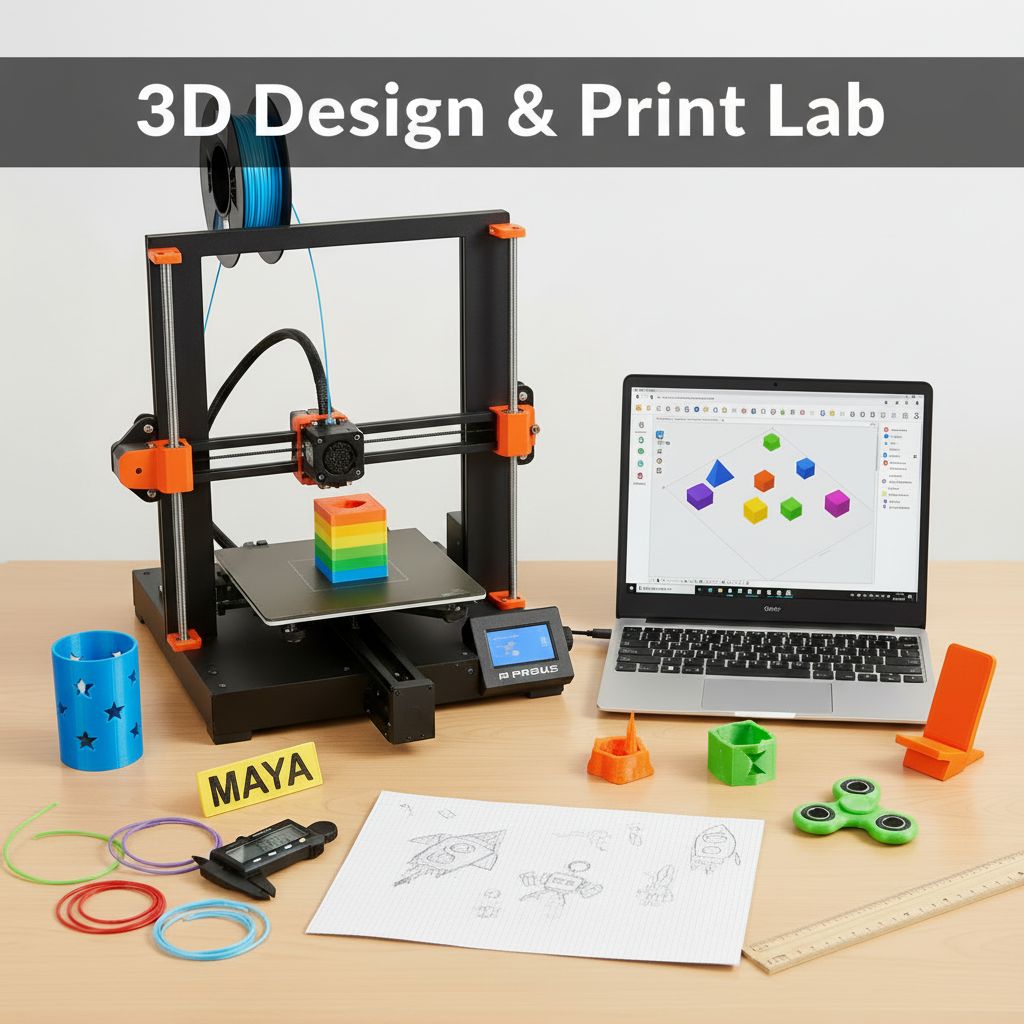
3D Design & Print Lab
$509.99
New!
was $599.99 Save $90
6/15/2026 - 6/19/2026 | Ages 8-10 | Engineering
Session Time
Gaming Option (Exploration Time)
Camper's Name
Enter your text
Camper's Age
Enter your text
Save this product for later
Have questions?
3D Design & Print Lab
Camper's Age: Ages 8-10
Camp Topic: Science
Camp Week: Week 3 (June 15-19)
Gaming: With parent permission during Exploration Time
A one-week camp where young makers learn 3D design fundamentals using TinkerCAD and watch their creations come to life on a real 3D printer. Each day builds new skills — from basic shapes to multi-part projects — with a personally designed creation printing overnight for pickup the next morning.
Full-Day Schedule
Day 1 — Welcome to 3D
- Morning 1: What is 3D? — Explore printed objects: keychains, figurines, phone stands. Identify shapes hiding inside everyday things. Learn the difference between 2D drawings and 3D models
- Morning 2: TinkerCAD basics — sign in, navigate the workspace, drag shapes onto the workplane. Move, rotate, and resize. First project: build a custom name tag
- Afternoon 1: Shape combos — learn to group shapes together and use "hole" shapes to cut. Project: design a cookie cutter by pushing a shape through a flat ring
- Afternoon 2: Print prep — learn what "slicing" means, how a printer builds layer by layer, and why overhangs need supports. Send name tags to the printer queue. Free build time
Day 2 — Stacking & Subtracting
- Morning 1: Pick up printed name tags! Examine layers under a magnifying glass. Lesson: alignment and snapping — stack shapes precisely using the ruler and align tools
- Morning 2: Project: design a pencil holder — a hollow box with decorative cutouts using hole cylinders and rectangles to carve windows, stars, or initials
- Afternoon 1: Color & materials — explore PLA filament colors, learn about infill density (honeycomb vs. solid), and see how settings change strength and weight
- Afternoon 2: Remix challenge — pick a classmate's pencil holder design, duplicate it, and add one creative improvement. Discuss: what makes a design "better"?
Day 3 — Moving Parts
- Morning 1: Design with clearance — learn why 3D-printed parts need small gaps to fit together. Demo: a print-in-place hinge. Measure gaps using calipers
- Morning 2: Project: fidget spinner or rolling toy — design a body with a spin axle and separate caps. Check dimensions so parts actually fit when printed
- Afternoon 1: Duplicate and pattern — use TinkerCAD's duplicate and mirror tools to create symmetrical designs. Project: a mini chess piece using stacked and mirrored shapes
- Afternoon 2: Design review — students present their favorite project so far, explain one challenge they solved, and get feedback. Queue afternoon prints
Day 4 — Real-World Design
- Morning 1: Measure to fit — use rulers and calipers to measure a real object (marker cap, LEGO brick, small toy). Recreate it in TinkerCAD as close to real dimensions as possible
- Morning 2: Project: phone/tablet stand — design a stand that actually holds a device at the right angle. Test with cardboard mockup first, then model in TinkerCAD
- Afternoon 1: Multi-part assembly — design two pieces that snap or slide together (a box with a lid, a picture frame with a kickstand). Learn tolerances and test fits
- Afternoon 2: Final project brainstorm — students choose what they'll design tomorrow: a gift, a toy, a gadget, or an invention. Sketch ideas on paper
Day 5 — Showcase Day
- Morning 1: Final project build — students design their chosen creation in TinkerCAD with instructor support. Focus on clean geometry, proper sizing, and printability
- Morning 2: Polish and submit — add finishing details, check for errors (floating shapes, too-thin walls), and export for printing. Queue all final projects
- Afternoon 1: Gallery walk of all week's projects on screen. Each student gives a 2-minute "inventor's pitch" — what they made, why, and what they'd improve
- Afternoon 2: Pick up printed projects, assemble multi-part creations. Awards: Most Creative, Best Engineering, Best Presentation. Take home everything printed during the week!
Half-Day Version
Use Morning 1 + Morning 2 from each day for a complete half-day camp covering all core TinkerCAD skills and one printed project per day.
Skills: 3D design in TinkerCAD · Shape combining & subtraction · Measuring in millimeters · Design for 3D printing · Iterative problem-solving · Presentation & feedback
Powered by Lightspeed
Display prices in:USD